I’ve already shared how I became a product designer thanks to building two startups: Sttorybox and Leemur. I mean, what really drove me was creating stuff—building product. And that’s still what drives me today.
Somewhere along the way, I discovered I was actually good at designing experiences and understanding users.
Then one day, Edu—an Android dev and longtime comrade in my startup adventures—calls me up:
—Hey, Jobandtalent is looking for a product designer.
So I applied. The process went super smoothly, and before I knew it, I had an offer on the table.
Jobandtalent had just gone through a rough patch—massive layoffs to fix their numbers. And I was about to join right at the company’s comeback. I’m not saying this to make it sound epic, but to give you some context:
There was only one product designer in a company of hundreds.
“We’re here to play,” I thought.
And that’s how my journey into the world of SaaS began. And honestly? I loved it. It’s not like I’d trade it for a good movie or a weekend trip with friends—but being a product designer in SaaS is one of the most stimulating jobs I know, because:
- It moves fast. Like, really fast.
- You have to be on top of everything.
- You have to design fast.
- You’re solving complex problems. Designing a social app or an ecommerce—those are always a challenge, sure—but the flows and solutions are pretty universal. In SaaS, you have to use your brain a lot more.
- Designing for SaaS requires a high level of abstraction. You need to deeply understand problems from users that can be radically different from each other. (That’s when I learned why design foundations are so important in SaaS.)
- What you design has a direct impact on the company’s key metrics.
- You learn a ton from really interesting users, and you’re constantly re-adapting your understanding to very specific contexts.
After a few years in SaaS, I honestly feel like a war vet. Seasoned SaaS designers? We’re the Blackwater of design. We’re not idealists—we solve conflicts with precision and without drawing too much attention.
If you’re curious about what my day-to-day looked like at Jobandtalent, you can check out this piece where I walk through my process.
But if you just want the quick version of what that chapter meant to me, here it goes:
- I worked with some of the best engineers in Spain at the time. People coming from Tuenti, Fever… the core of the Madrid startup-tech scene. As a designer, being surrounded by that kind of tech team is priceless.
- I designed for clients like Amazon, Correos, JD Sports, DHL—you name it.
- I experienced what it’s like to build product with teams that are really close to users—and to OPS (always key)—alongside PMs who later became CPOs.
- I helped lay the foundations for growing the design team. We started as two, and by the time I left, we were six. I was very involved in onboarding—both team-wise and one-on-one.
- Design-wise, I touched everything: Android, iOS, desktop, design system, prototyping, research, no-code…
Honestly, it was three amazing years.
I met incredible people—many of whom I still call friends.
And the Christmas and summer parties? OMG.
Jobandtalent was unbeatable.
V.
A small review about how I work as a product designer :)
I would like to explain here, in a summarized way, how I approach my work when looking for solutions to user problems.
In this summary, I want to talk about one of my last works for Jobandtalent.
Context
We can say that Jobandtalent is a kind of temporary workers marketplace: on the one hand, we have large clients that need temporary workers on demand (Cabify, Amazon, Just Eat, Correos… in Europe and America), and on the other hand, we have an app in the one that many people can quickly find work. We make the match between big companies and our candidates.
Currently, I belong to the Workforce team, where together with a product manager, a team lead, a QA, five engineers, and a data scientist, we work on the part of the product intended for customers: a workforce web platform in which clients manage their workers:
- They demand workers
- They extend the workers’ contract
- They demand more workers
- Workers’ contracts cancellations
- Leaves management
- Management of legal documentation
This management is really important because it requires understanding the needs of very different users (large, medium, and small clients) in very different contexts (Spain, France, UK, Germany, Colombia, Mexico … where legal regulation is, basically, crazy in each country).
In this context, part of our staff complained that customers were having many problems accessing their documents, and were generating more and more support tickets.
The problem comes because, as there are many legal labor regulations, the relationship between the client and its workers must have a lot of documents in order: from the contract to all kinds of certificates, exams … to criminal record reports.
How do I start working on a task
The first step for me is to have a conversation with my PM. We usually talk a lot, like every day, and when we need to start working on a new issue, we talk about where the task comes from, what is our hypothesis about what is happening, what is the problem for the users, and what outcomes in terms of impact do we expect.
So, from this point, the following info comes from our Notion task (because we document our task in Jira and in Notion). I mean, this is my work and this is how I share it with my teammates.
I start by writing a small definition
Design problem
Now, the management of the documents in Workforce has several problems:
- We have different experiences depending on the countries: the Documents section in Spain is really a CPDs signature flow (what is good, but we don’t provide solutions for the other documents types to Spanish clients) and, in other countries, we list a lot of documents in a table without providing a good way to search and find them.
- Users can’t search documents by workers
- Users can’t search documents by work assignment
- The download option sometimes takes a lot of time
- The experience using documents sometimes drive clients through the WA detail view, where worker’s documents can be viewed too, but the experience should be improved too (ie, when the worker has a lot of docs, clients have to scroll a lot to find visually what they are looking for).
Hypothesis
By improving all the things previously commented and discovering any new needed feature, we will be able to rebuild the Documents section, uniforming it across different countries, impacting on product adoption and documents tickets/week in Kustomer.
Key Results
- Unify information architecture
- Combine sign and management (search, select, download, and other actions) in the same view for all countries
- Improved usability for the available actions (search, select, download…)
- Add “group by worker“ feature
- Improved documents section in the WA detail
- In summary, an operative docs view
Key Metrics
- Product adoption 📈
- Documents conversations (AF) in Kustomer 📉 (https://metabase.jtplatform.net/ibrokethelinkhehehe)
- (Optional): Number of downloaded files 📉
Now I have a good frame to start working, I try to gather all the information we already could have
Key information
In the first place, we have gathered all the available information about the use of documents, in order to create an appropriate framework:
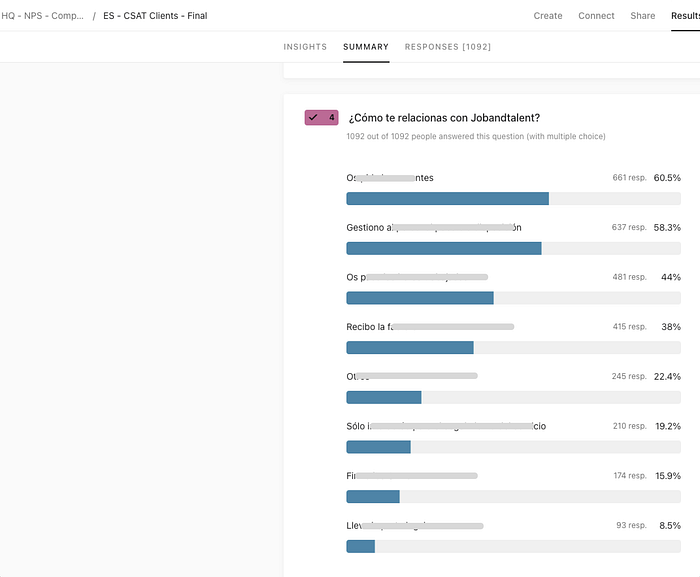
- In Spain, only N% (I’m hiding the real data from my company, I hope you to understand 😌) of the users say that *censored part**.
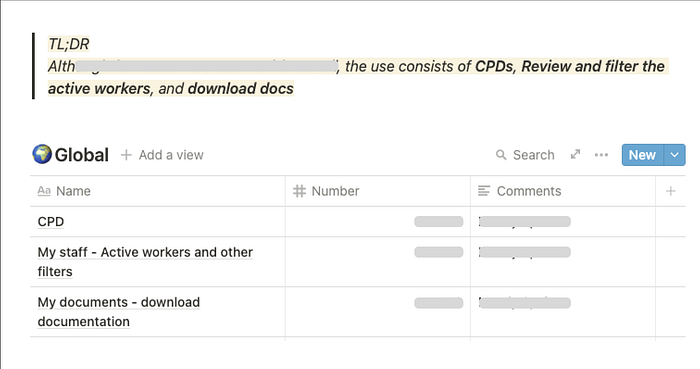
- The global use of Workforce (mostly Spain) shows that those users that are already using Workforce, interact a lot with Documents: CPDs and download documentation.
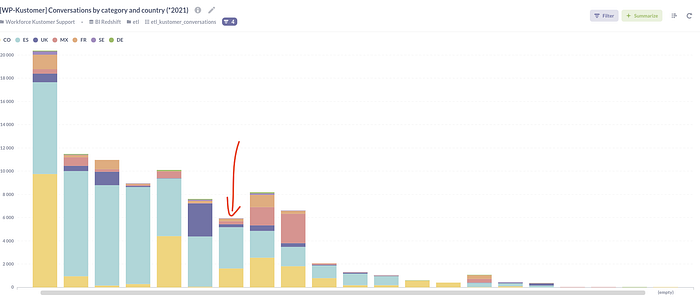
- The tickets related to documents (AF) in relation to all the tickets created in Kustomer is this:
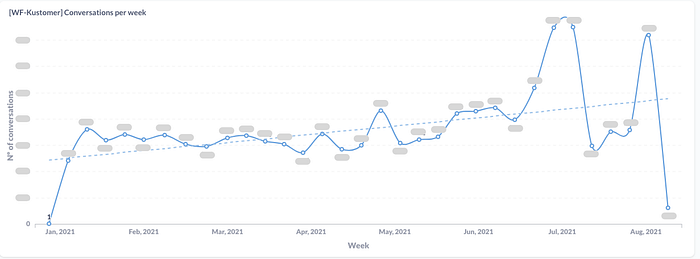
- This is the current amount of tickets per week related to documents
- The countries that create the most of the tickets are Spain and Colombia
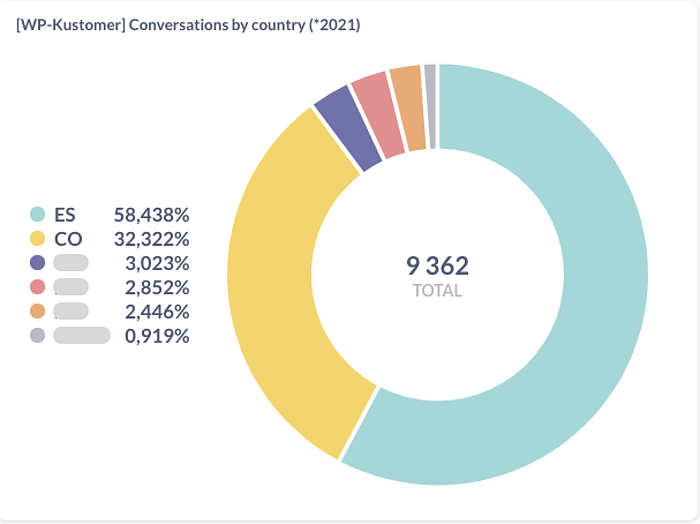
- These are the clients that create more tickets
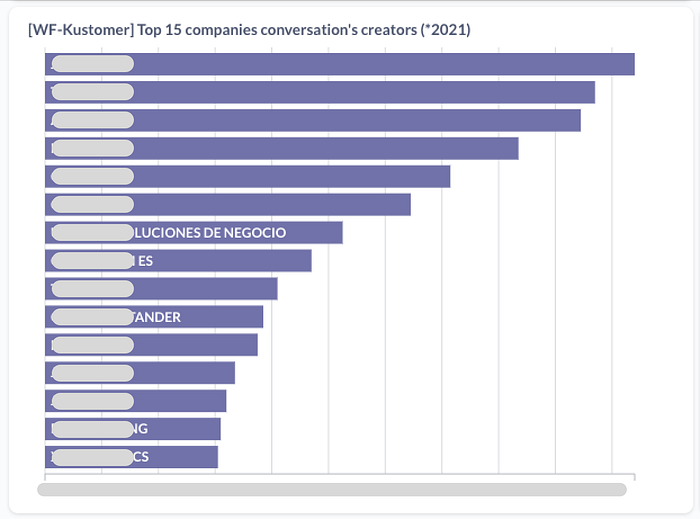
I found all this information in the tool Metabase, where with the help of our data scientists, we can build any needed dashboard.After this step, I worked with another tool, Fullstory, where I could see exactly what was the user behavior in the product: clients managing documents.
Reviewing user sessions
A way to get closer to the user relationship with the documents is by reviewing the Fullstory sessions. For this task, some funnels and a dashboard have been created. The first thing we tried to understand is the overall situation in terms of product. You can review the dashboards here: **private link**.
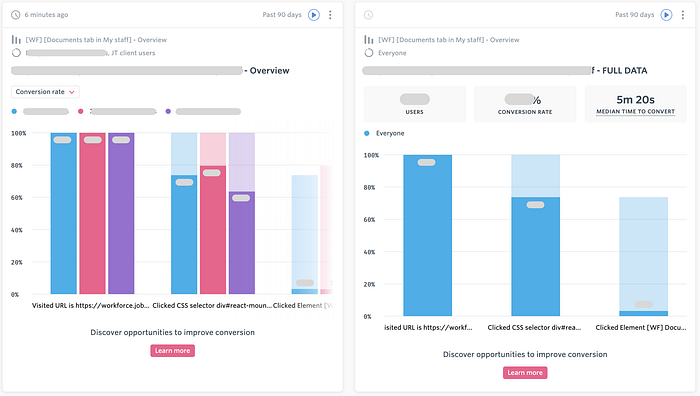
Another exercise has been the review of several full user sessions (15), to see the behavior, the main actions, discover usability problems, etc.
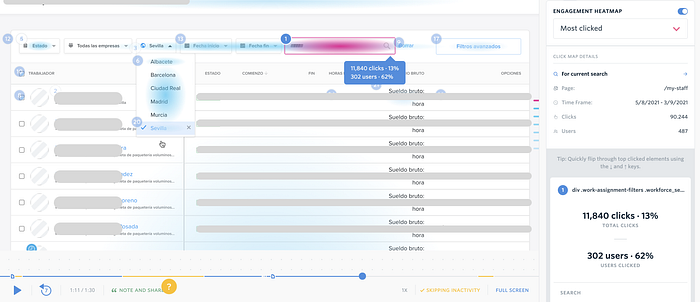
After this study, several problems have been detected that we will deal with from the user journey.
This kind of study is quick and really really useful. See what users do in your product is a goldmine. After that, was time for user interviews
User interviews
We selected several Service managers, only from Spain and Colombia (because is where the problem has really a huge impact)
Here I’m going to share with you only the questions of the interviews because all of them are transcripted in Spanish and contains a lot of confidential information. But, in summary, we got that the main client need for the documents was because of audits. They need to, quickly, generate huge document downloads from a lot of workers.
Interview with [Name] (Service Manager) 🇪🇸
- Why does a customer need to download a document? What do they do with them?
- How, in general, is the process by which the client asks you to download the documents? What do you ask, what do you need? How is it managed by JT?Are they asking you to do something that, at the moment, is impossible to do now?
- Is there something that is especially problematic for you?
- What flow is there, why are they requested, how often are they requested
- Extra feedback
Now I had A LOT of information, so after the deep research was time to work on the UX part.
User journey studies
With all this gathered information, we decided to build the main user journeys. To understand these journeys, you need to know:
- We have three main stages in all the download documents flows: Navigation, Document selection, and Download
- We marked every found pain point (red post-its) in each step
- We added first-level solutions proposals (green post-its) to these problems
Find the full document in [Miro app link]
Download documents from My staff: one by one
Download documents from My staff: in bulk
Download documents from Document
Venn diagram for our pain points
As you can see, our main problems are related with:
- Usability
- Data visualization
Recap
We found a lot of ways to improve our tool (My Staff) and the way the users download documents. Where we should start?
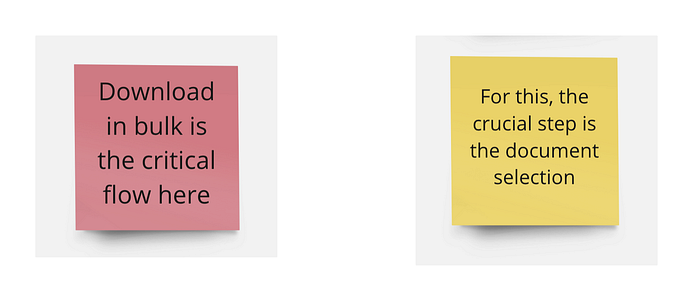
- Bulk download flow is critical (this allows to provide a lot of documents to the client when is mainly needed: audits)
- We are going to apply the improvements only for the first two user journeys: on My Staff (and in the future, we will work on the documents section)
Defining tasks for these improvements
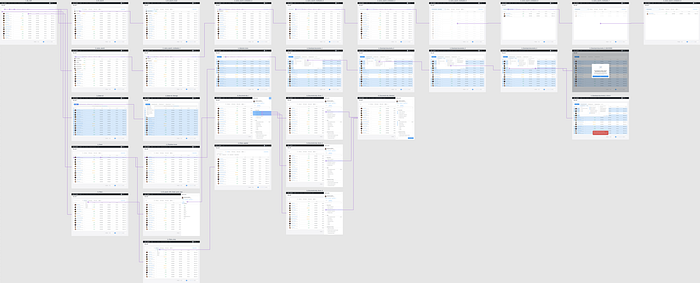
Now, it’s time to enumerate and make the first descriptions of all the tasks that come from the pain points and solution analysis:
(Find the full document in Miro)
Understanding the situation better
As we have a lot of tasks to apply on My staff, we need to group them to understand where we are going to impact in terms of product. We got two main groups with two subgroups (available at Miro):
The part of the “task-oriented tool” is here because it was the next task for us, and in this study, we discover a lot of relevant things not only regarding the documents and so on but about the next team goals.
Time for hi-fi prototypes and feedback!
I work a lot with high-fidelity prototypes because as we work with a complete design system, usually it is easier to build this kind of prototype instead of low-fidelity ones. In this one, I could design in terms of UX and UI for almost all these solutions. Build prototipes is one of my favorite parts!
We made a prototype [the link was here], with almost all the proposed solutions. The goal for this is to validate it with:
- Backend & Frontend
- Users (service managers)
I can’t share the functional proto with you :(
Feedback from testers
Name 1 (Service Manager) 🇪🇸
Much better! I think it will help with our client adoption. More “friendly”, what is what we need. One friend of mine who works for a client told me: “You have the best and most complete service! The only thing is that the product is difficult to understand…”, with this is much better.
The search by DNI is top, the search by comas would be amazing [we added that to the proto].
And please, remember to hide the irrelevant information for the client like “no show”, “never started” and so on.
Name 2 (Service Manager) 🇨🇴
I love the groups for documents. Maybe we need different groups depending on the countries. Here we’ll need a group called Seguridad Social.
In the WA detail, sometimes we don’t want to download any document, only to review it, so please make sure that is possible.
Could we upload documents to workforce? That would be awesome
I think that now is much much better. We’ll love to be able to make searches by cédula (DNI), using several ids at the same time separated by comas [added]
Name 3 (Service Manager) 🇪🇸
I like to see the documents groups. And I would love to filter by DNI. I love the new version in general!
Name 4 (Service Manager) 🇪🇸
Now it is much more intuitive! I love how you grouped the documents and the new button for Requested actions.
I see it easier for the clients, that is good, the clients must understand everything.
I would love to be able to filter by DNI, and search by several DNIs or names at the same times.
At this time, with a lot of solutions tested and validated by users and the tech team, the PM works in the prioritization of each task. For each task, we review the design, the micro-interactions and work closely with the mobile or web fronts.